Child follows anchor: how the permission model reached the whole application
The last workshop report ended with a question that seemed settled: who owns the post? Contacts, companies and leads had their permission model, the groups brought their team along, and an estate agent office with thirty people could finally keep order. Then came the look at the rest of the estate agent software — and the rest was large. Properties, providers, portals, websites, templates, backups, e-mail templates, media folders: all of it data an office wants to separate just as much as its contacts. And all of it data that anybody who was allowed to open the application could see until now.
We could have caught the model up type by type. Instead we spent a week building something more fundamental.
Who may see this? The wrong question
Whoever may see a contact is by no means allowed to see its notes. Whoever may not see a property must not be able to guess it through the back door of an image or a portal release either. Until now we answered this question for every data type individually — and anew with every new type. That is the moment when permission models get holes: not with the big things, but with the incidental, with the attachment, with the row nobody thought of.
The right question is not “who may see this?” but “what does this follow?”. And that question is now answered by every data type itself, in the code, right at its class.
Three roles, no exception
Permission holders are the roots: contacts, properties, providers, portals, websites, templates, backups, e-mail templates, CRM folders. They carry team and user, they can be filed into group trees, and their visibility is steered by the data scopes of the role.
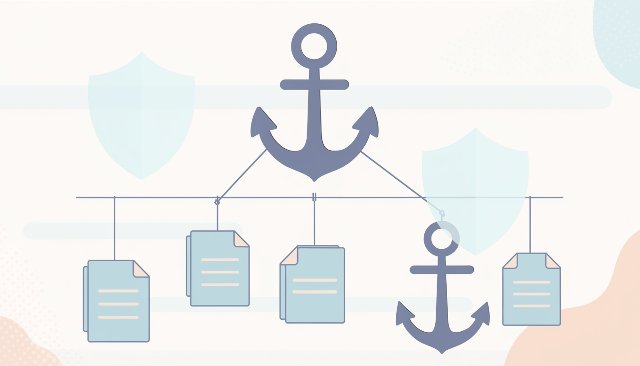
Children follow their anchor. A note belongs to the contact, an image to the property, a page to the website, a file to its folder. They carry no permissions of their own — they inherit the visibility of their anchor, across any number of levels. If you cannot see the anchor, you cannot see the child.
Deliberately free are only the types where we expressly want that: lookup lists, system tables, the things everybody needs.
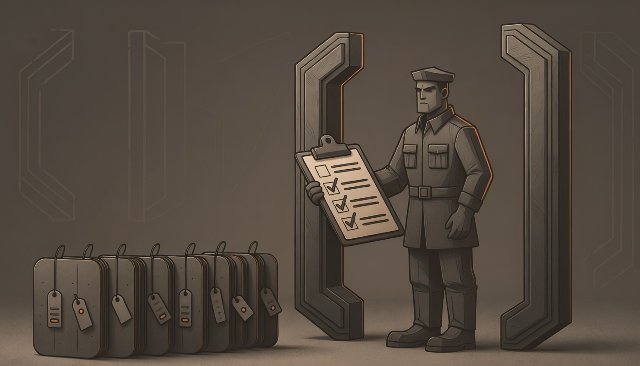
And here comes the part that lets us sleep soundly: a data type without a declaration breaks the build. An automatic guard checks that each of the 74 entities carries exactly one of these roles. It also checks that cross references exist as real database references only where visibility is guaranteed. Everything else travels as a loose key and resolves tolerantly: what you may not see appears as “(protected)” — not as an empty list and not as a crash. Whoever adds property administration next year cannot get past this decision. Not because it stands in a guideline, but because the compiler demands it.
One place that knows everything
The server enforces the rule in exactly one place: in the read tunnel through which every query of the desktop client runs. For every data type it knows the chain up to the root and attaches the root's permission check to every query. An image hanging on an attachment that hangs on a property is filtered with exactly the rule that applies to the property — three levels, one filter, and no developer has to think of it. The same gate applies when writing: a child can only be created or moved where the anchor allows it.
For the website we deliberately kept one decision simple: the permissions of the website apply to all its pages, menus and media. We do not separate again below that. And the media folders in the CRM got a sign of their own: a folder is confidential until somebody expressly releases it for the website — and that release is not inherited. A new subfolder under a released folder stays confidential.
Two finds from the live test
The first find was delivered by the folder tree. A team assigns a folder to itself — and for everybody else the entire media section crashed. The cause sat in a detail of the database layer: the search for the parent folder ran over the general folder table, which the tunnel does not filter. It found the key of the hidden folder, and only loading the actual row was refused — which the database layer reported not as “you may not” but as “it does not exist”. Now a hidden parent simply resolves to nothing, and the orphaned subfolder stands at the top of the tree under its own name. A test reproduces exactly this case.
The second find was a consequence of the first workshop report. Every new record of a permission holder gets its creator as an assignment so that a user with “only own” still sees their row. Sounds right — until the media folder of an entire tenant came into being on an employee's first upload and thereby belonged to him. Every colleague from another team saw an empty library. The root folder now belongs to the tenant and to nobody else, and it fends off every assignment.
Both finds came from spot checks with real roles, not two hours after the rollout. That is exactly what we test on the living object for.
The balance in numbers
- 361 files changed, around 5,100 lines added and around 3,400 removed
- 74 data types with a declared permission role
- 6 new group trees in navigator sections that were empty until now — with dragging and multiple selection
- 1 guard that forces every future entity to decide
- over 3,500 automated tests, all green
- 4 commits, one branch, no intermediate state
What do users see of it? Little — and that is the point. Lists show only what they are allowed to show. A folder a colleague assigns to their team disappears with its contents for everybody else. A website and all its pages follow a single assignment. An estate agent office with three people notices none of it. An office with thirty now has an application in which data separation is not a feature but a construction form.
The next step is thereby clear: a real document open dialog with a search over everything you are allowed to see. And the mail room, still waiting patiently to learn to write back.