The memory of the mail room: language variants and an archive for every e-mail
Two days ago the mail room moved in — the e-mail dispatch of the estate agent software, with accounts and templates with placeholders. Since then it has learned, in three directions: its templates now speak several languages, an early shift makes sure they stand ready in every tenant by themselves, and the mail room has been given a memory — every e-mail that leaves the house stays findable. One after the other.
One template, many languages — and still one identity
Whoever brokers internationally writes not only under several senders but in several languages. The naive solution would be one template per language. But then what belongs together falls apart — which of the three “welcome mails” is the welcome mail the contact form should point at?
Our answer is language families: every template has a mother — the neutral version that is always there and always serves as the fallback. If the tenant needs a German or English version, one click creates a language variant: a child of the mother that starts as a copy and is then freely redesigned. Name and membership the child inherits from the mother — in the administration tree you recognise the variants by their own symbol and the language column. On sending, a simple rule applies: if the recipient's language exists, the mail room takes the child; if not, the mother. Nobody goes without an answer just because their language is missing.
The decisive part is invisible: every family carries a stable key. When somewhere in the system it later says “answer with this template”, that reference points at the family — not at a single language row and not at a name that can change. You may rename, rebuild, even delete: the reference stays valid.
The early shift: logged in, and the table is laid
Delete? Yes, the built-in templates too. That sounds riskier than it is, because here the second newcomer comes into play: at every login the application checks whether the tenant's built-in templates are present — and creates missing ones anew with their standard texts. Whoever has wrecked their test mail template logs out and in again, and it stands there fresh. A safety net instead of a prohibition sign.
Which language the early shift lays the table in is not decided by the chance of who logs in first: the administrator sets the tenant's language on the user group, and the standard texts follow it. And the mechanism behind it is deliberately general — the login is now a point where every part of the application can hook in to lay out its basic equipment. The mail room only makes the start.
The memory: every e-mail stays findable
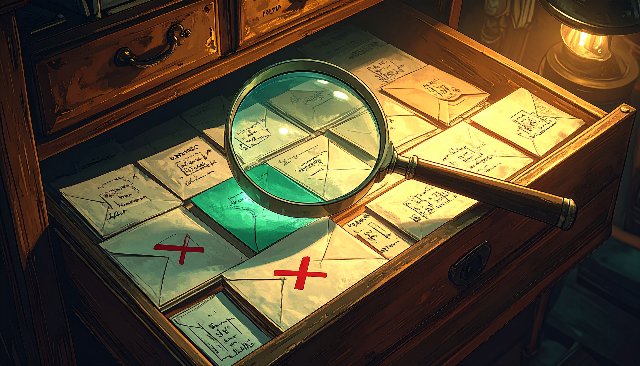
The biggest chunk is the archive. Until now a sent e-mail was simply gone after sending. Arrived, hopefully, but in the house there was no trace of it. Now every e-mail the system sends is kept: in a new section of the administration, on the left a tree of sender addresses for filtering, on the right the list with time, recipient, subject, template and size.
Two decisions make this archive reliable. First: what is stored is what actually went out — not today's state of the media library, but a copy of the attachments and images as they were at the moment of sending. Whoever swaps out the terms PDF next week changes not a single archived mail. Second: the failed attempts stay too. A rejected mail stands in the list with a red symbol and the mail server's error text — it is precisely the letters that never arrived that you search for later.
A double click opens the mail as the recipient saw it: the designed version with all images, beside it the text version and the list of attachments — plus sender, recipient, delivery time and, for troubleshooting, a reference to the template it was built from.
Two finds from the workshop
The first find life delivered free of charge. While testing over a mobile hotspot the mail server refused service: Client host rejected: Access denied — many servers reject connections from mobile addresses across the board, before username and password even get a word in. It was cleared up quickly (the password was simply missing; with authentication you are allowed after all). But the moment showed exactly the gap the archive closes: that rejected dispatch would today be a red line with the original error text — instead of a memory of an error message you no longer recall precisely.
The second find is a question that sounds more harmless than it is: what do you display an archived mail with? The first reach went to the existing visual editor — it handles HTML best, after all. But an editor stays an editor: you can type into it even though nothing is saved, and that feels wrong. An archive is not a draft. So the application received a new, deliberately simple building block: a real viewer that displays the finished document and can do nothing else. Read-only means read-only — and the next feature that only wants to show a finished HTML page will find the block already there.
The balance
On the side, the templates also gained CC and BCC fields — fixed readers along that travel with every mail of that kind, placeholders included. Everything delivered complete as usual: data model, server and desktop client, the tests green, the code analysis without findings.
The mail room now has letterhead in several languages, an early shift and a memory. What it still lacks are real assignments — and those come next: leads, the inquiries from the website that arrive in the system, get answered and gain a history. You could say the mail room is waiting for post.